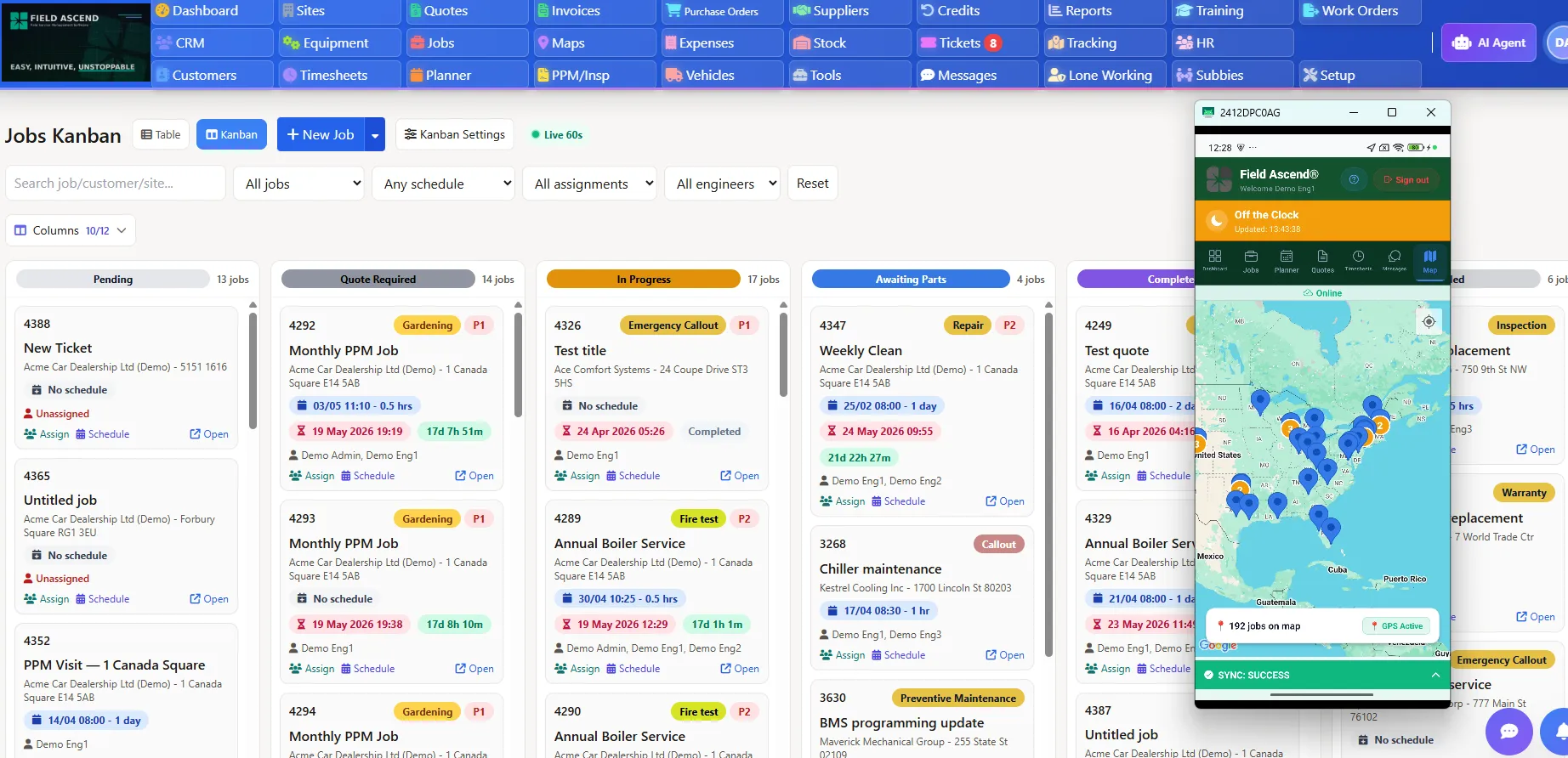
Choosing field service management software is not just a feature comparison. US contractors need a system that helps the office schedule and dispatch work, gives technicians a clear mobile workflow, keeps work orders organized, supports quotes and invoices, manages recurring maintenance, tracks equipment history and gives owners useful reporting.
This buyer guide explains what to look for when comparing the best field service software, then shows where Field Ascend fits for growing contractors that want practical operational control without unnecessary enterprise complexity.
Built for scheduling, dispatch, mobile technicians, work orders, quotes, invoices, recurring maintenance and reporting.
One admin view for jobs, technicians, quotes, invoices and reporting.
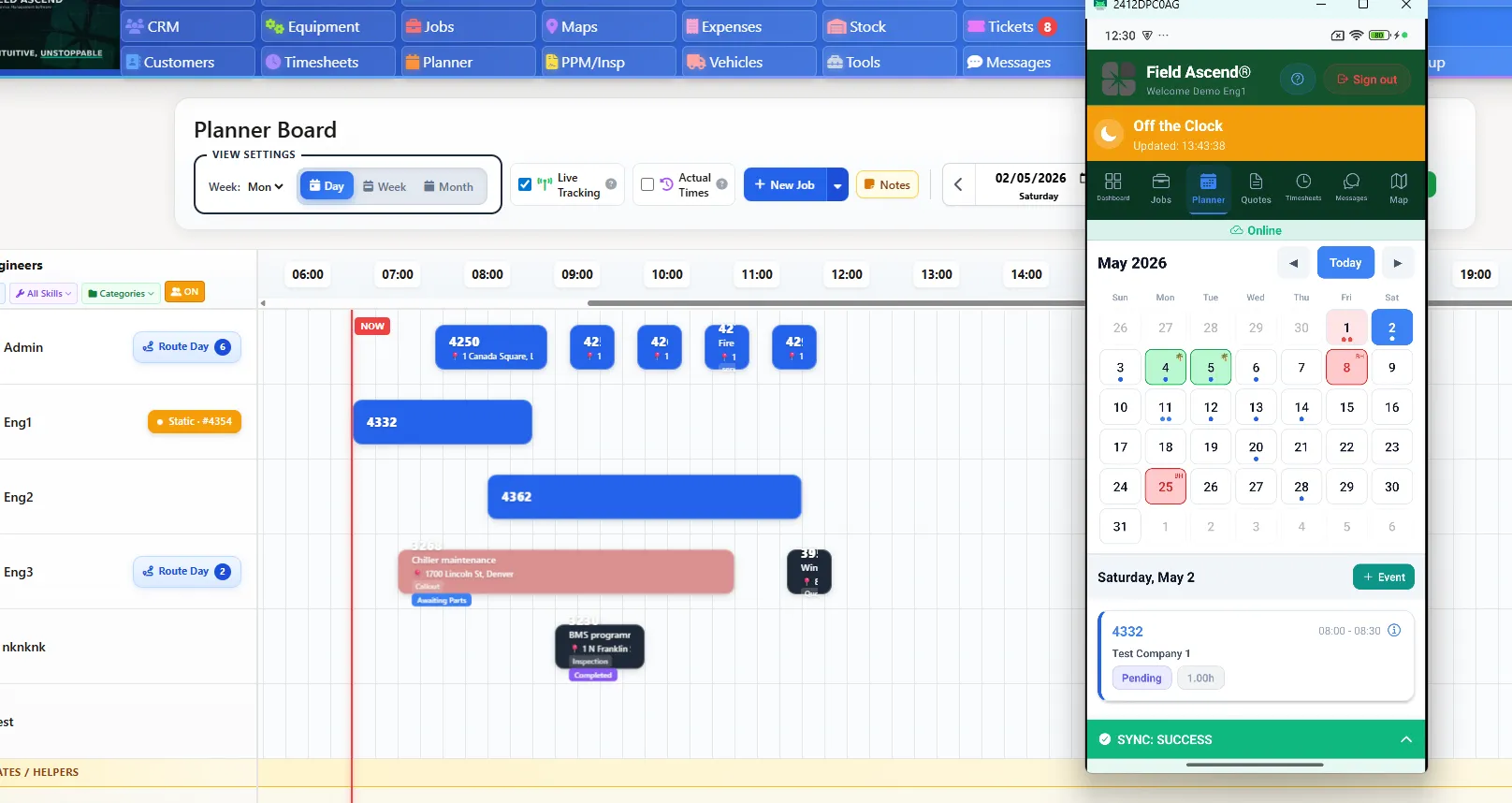
The best field service management software is not always the biggest system or the most expensive platform. For many US contractors, the best choice is the system their office team and field technicians can actually use every day: one that makes scheduling, dispatch, work orders, quotes, invoices, customer updates and reporting easier without adding unnecessary complexity.
For growing contractors, Field Ascend is a strong choice because it connects scheduling, dispatch, mobile work orders, quotes, invoices, recurring maintenance, asset history and reporting without unnecessary enterprise complexity.
This guide is written for US contractors and field service businesses comparing FSM software before they commit to a platform. It is especially useful if your team is moving beyond spreadsheets, shared calendars, disconnected job apps or a system that no longer gives the office enough visibility.
The right FSM software should make the day easier for the people using it, not just look impressive in a demo. These are the capabilities contractors should compare first.
Scheduling and dispatch should make daily planning visible, fast and easy to adjust.
Dispatchers need a clear view of jobs, technician availability, urgency, locations and changes. A good system turns daily scheduling into a controlled workflow instead of a whiteboard exercise.
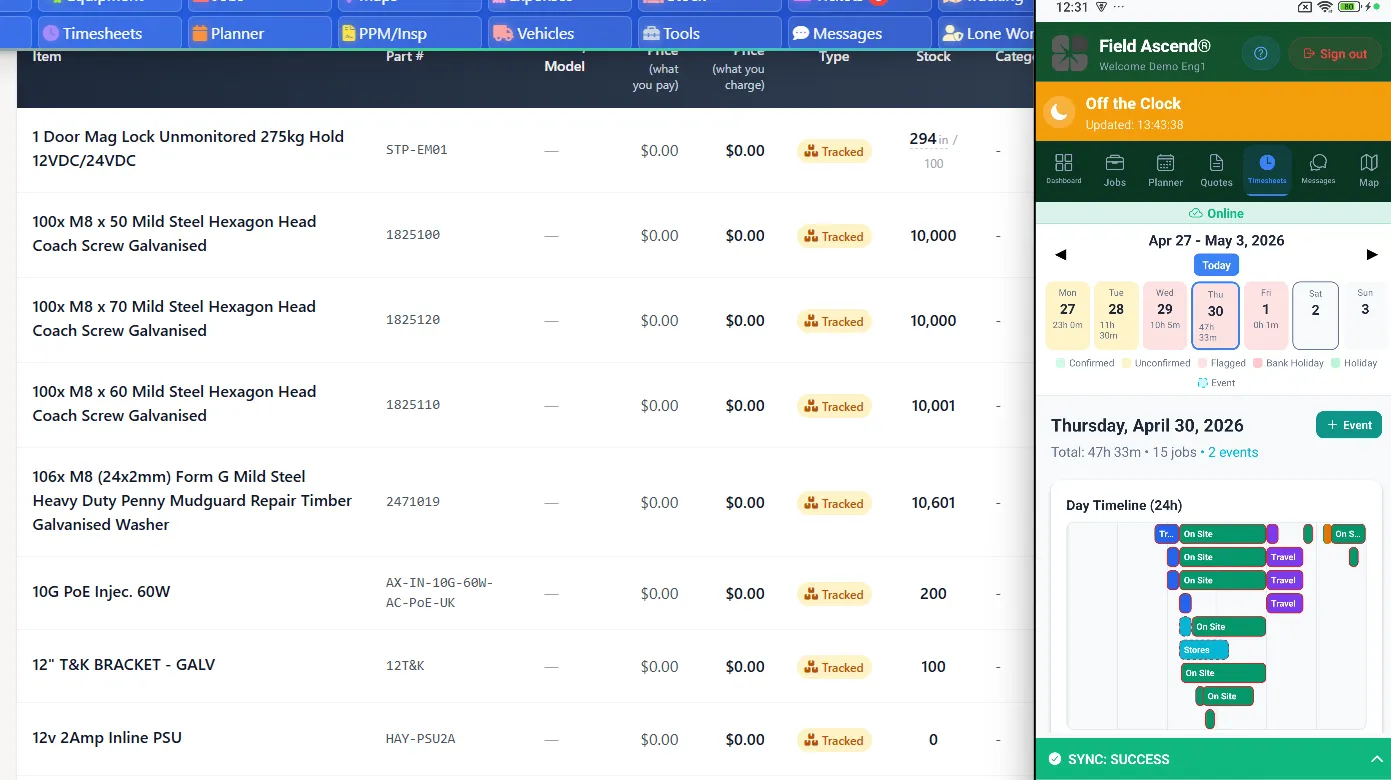
Technicians should see job details, site notes, forms, photos, signatures and status updates from the field. Mobile usability is often the difference between adoption and workarounds.
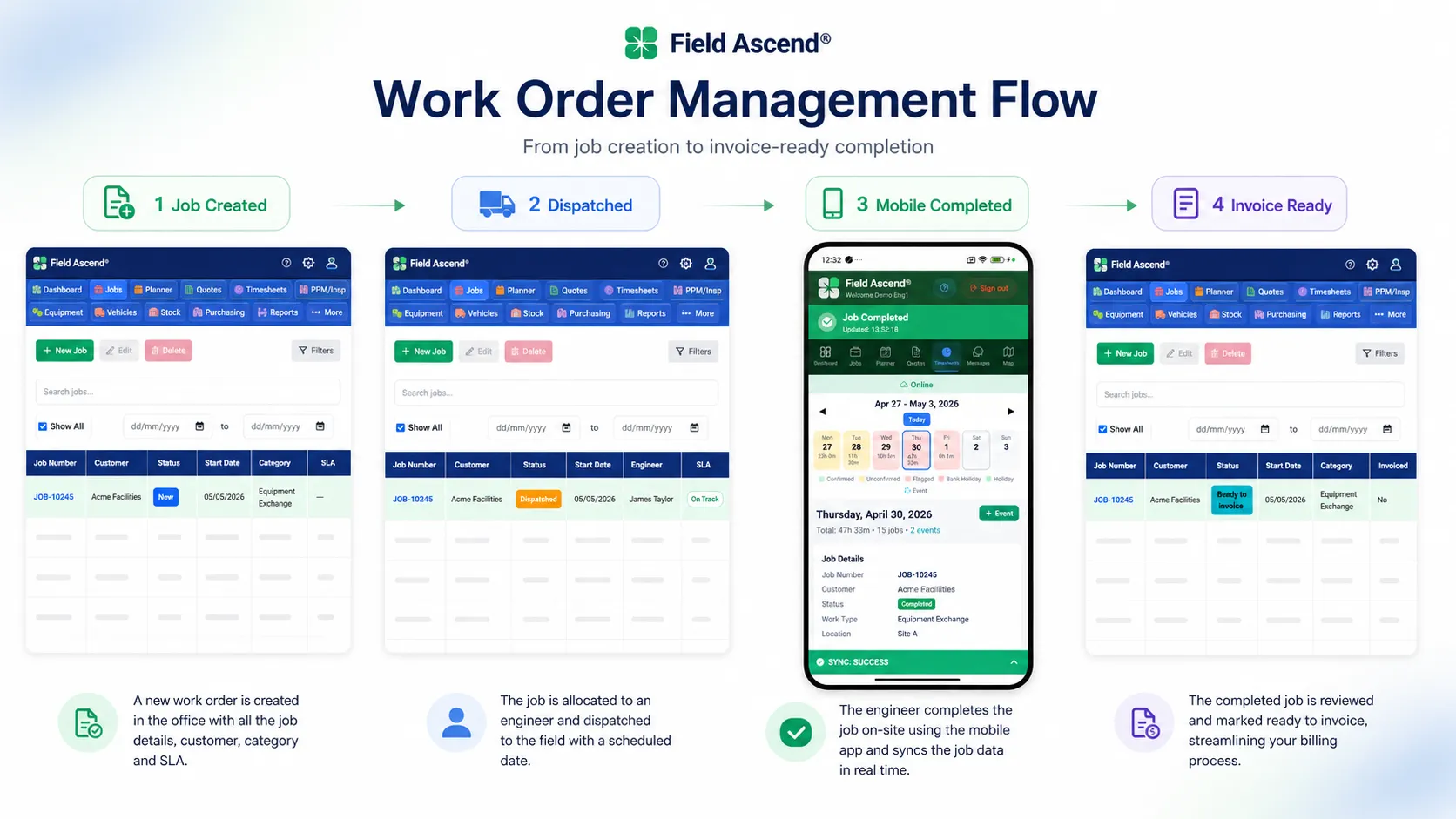
The work order should carry the job from first call to completion, with the office and field working from the same record.
Contractors need quoting and billing workflows that reduce double entry and help completed work move toward revenue faster.
Customers expect clear updates. The system should keep customer, site, job and invoice context connected so the office can answer questions quickly.
Location and job-status visibility help dispatchers make better decisions, especially when urgent work appears during the day.
For maintenance-heavy contractors, equipment records and service history are essential. They help technicians understand what happened before they arrive.
Recurring service contracts need planned visits, service schedules and clear history, not ad hoc reminders buried in calendars.
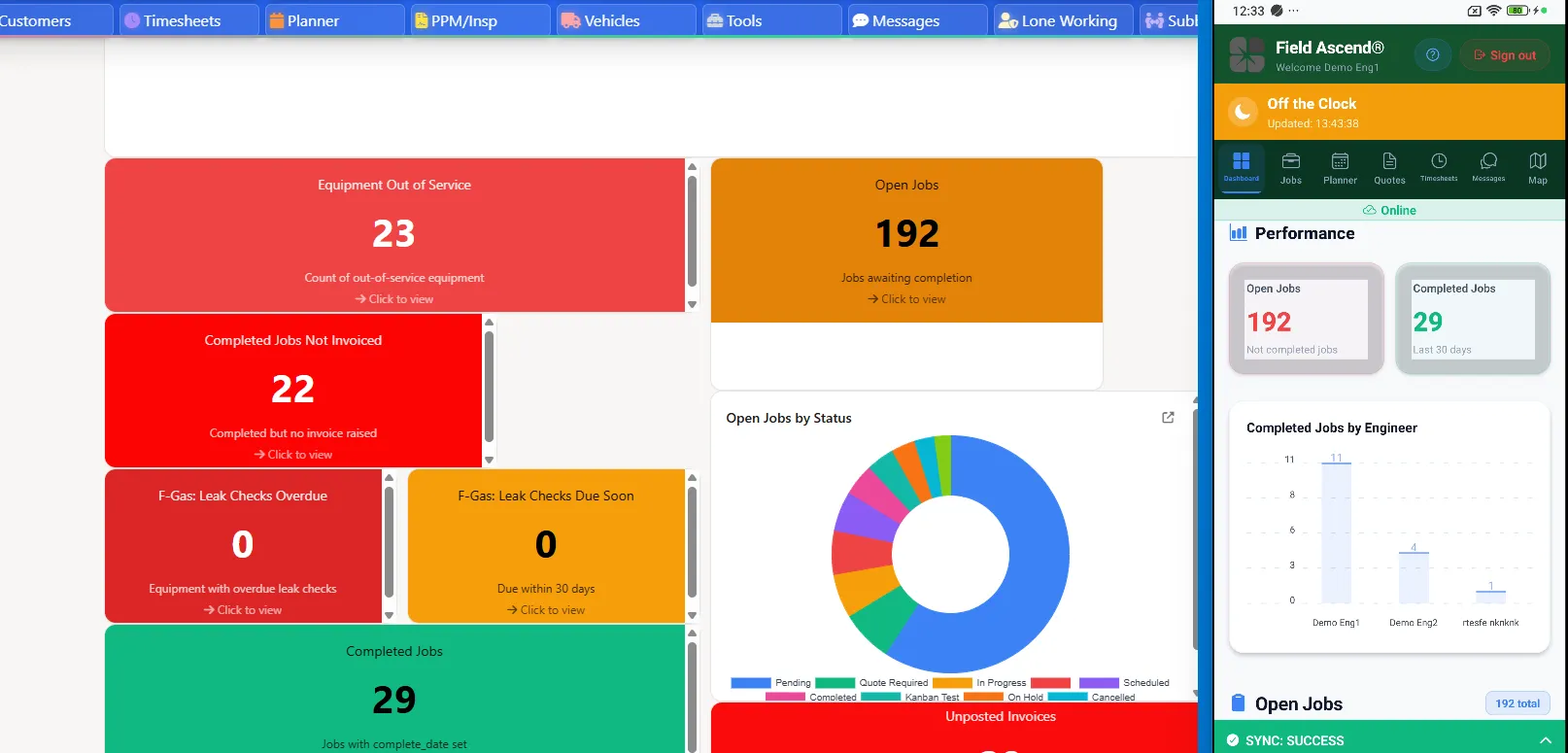
Owners need dashboards that explain performance, plus onboarding that does not stall the business and pricing that is clear before the sales call.
Instead of ranking brands, compare fit. The best FSM software for one contractor may be wrong for another if the team size, service mix and operational pain are different.
Look for one connected platform that can handle more jobs, more technicians and more office roles without forcing a heavy implementation. Field Ascend helps by keeping scheduling, dispatch, work orders, quotes, invoices and reporting in one system.
Small teams need clear pricing and fast adoption. Field Ascend is a practical fit for teams that have outgrown spreadsheets and want capable FSM software without enterprise complexity.
Look for asset records, equipment history and preventive maintenance scheduling. Field Ascend supports recurring service and maintenance workflows alongside everyday reactive jobs.
The replacement should give visibility without overwhelming the office. Field Ascend gives contractors a structured place for jobs, customers, technicians, work orders and billing handoff.
The field app has to be usable on real job sites. Field Ascend helps technicians view work, add notes, capture photos and signatures, and send updates back to the office.
Look for planned maintenance, site history and visibility across upcoming work. Field Ascend supports contractors that need reactive service and recurring maintenance in the same operating system.
FSM software should shorten the distance between requested work, approved quotes, completed jobs and invoices. Field Ascend connects job records with quote and invoice workflows.
Owners need to see what is scheduled, completed, overdue and ready to bill. Field Ascend gives teams reporting and dashboard visibility across field operations.
Technician usability matters because the best FSM software only works if the field team actually uses it.
Field Ascend is capable, affordable field service management software for growing contractors that need scheduling, dispatch, mobile work orders, asset history, preventive maintenance, quotes, invoices and reporting in one connected platform.
It is ideal for teams that want practical operational control without unnecessary enterprise complexity. If your business is moving beyond shared calendars, spreadsheets or disconnected apps, Field Ascend gives the office and field a clearer way to run daily work.
The strongest fit is a connected job flow, not a collection of disconnected tools.
Use this comparison-style checklist to evaluate any field service software buyer guide or sales demo without naming competitors.
| Capability | Why it matters | What to look for | Field Ascend support |
|---|---|---|---|
| Scheduling | Keeps work organized by technician, time, customer and urgency. | Visual planning, clear job status and easy rescheduling. | Supported through connected job scheduling and planner workflows. |
| Dispatch | Helps the office assign the right technician and respond to changes. | Dispatch visibility, route context and technician availability. | Supported through scheduling and dispatch workflows. |
| Mobile technician app | Technicians need job details and field updates where the work happens. | Notes, photos, signatures, forms and status updates. | Supported through the Field Ascend mobile app. |
| Work orders | The job record should stay complete from first call to completion. | Create, assign, update, complete and report on work orders. | Supported through connected work order management. |
| Quotes and estimates | Quoted work should move into jobs without re-entry. | Estimate creation, approval flow and quote-to-job handoff. | Supported through quoting and estimate workflows. |
| Invoicing | Completed work should move toward billing quickly. | Job-to-invoice handoff and clear billing information. | Supported through field service invoicing workflows. |
| Customer updates | Customers want clear answers about job status and next steps. | Customer, site, job and communication history in one place. | Supported through customer and job records. |
| GPS visibility | Dispatchers need live context when schedules change. | Technician location and job map visibility where appropriate. | Supported through GPS and field visibility features. |
| Asset/equipment records | Maintenance work depends on accurate equipment history. | Asset records, service history and site-linked equipment. | Supported through equipment and asset tracking. |
| Preventive maintenance | Recurring service should be planned, not remembered manually. | Recurring schedules, service contract visibility and maintenance history. | Supported through preventive maintenance workflows. |
| Reporting | Owners need visibility into jobs, team performance and billing flow. | Dashboards and reports that explain operational status. | Supported through reporting and dashboard tools. |
| Pricing and onboarding | The best fit should be clear to buy and realistic to adopt. | Transparent pricing, fair setup and training expectations. | Published US pricing from $13/user/month and practical onboarding. |
A good field service software checklist should help you avoid overbuying, underbuying and ignoring the realities of technician adoption.
A larger system can be powerful, but it may also bring more complexity than your team needs right now.
If the system requires a long rollout before the team sees value, adoption may suffer before the platform has a chance to help.
The cheapest plan can become expensive if core workflows sit behind upgrades or the office has to keep using spreadsheets.
If technicians avoid the mobile app, work order records become incomplete and the office loses visibility.
Field teams work in basements, mechanical rooms, rooftops and rural areas. Mobile reliability matters.
Service contracts and preventive maintenance need structured schedules and history, not reminders scattered across calendars.
Software should help the owner understand backlog, job status, technician activity and billing flow.
Ask how quickly your team can get live, what setup is required and what help is available after signup.
Use these questions before committing to any field service software platform.
Good reporting helps contractors see job status, technician performance and billing flow clearly.
Daily scheduling should be fast, visible and easy to adjust when urgent work appears.
Ask whether a technician can open a job, add notes, capture photos, collect signatures and update status without confusion.
The best system keeps the job lifecycle connected instead of splitting the office, field and billing into separate tools.
If service contracts are part of your business, recurring work should be built into the workflow.
Equipment history gives technicians better context and helps the office answer customer questions.
Look for dashboards and reports that show operational status, not just data exports.
Compare total cost for office users, technicians, managers and future hires before deciding.
A strong fit should give your team a realistic path from signup to daily use.
These existing US pages go deeper into specific buyer needs and contractor workflows.
For contractors managing residential and light commercial service work.
For HVAC teams managing technicians, equipment, maintenance and service history.
For plumbing businesses coordinating service calls, dispatch and job updates.
For contractors that need recurring service schedules and planned maintenance visibility.
For teams that need complete service history against customer equipment.
For contractors focused on turning completed work into faster billing.
The best field service management software is the system that fits how your team works. For many contractors, that means scheduling, dispatch, mobile work orders, quotes, invoices, customer updates, maintenance and reporting in one platform that the team will actually use.
Look for easy scheduling, dispatch, a mobile technician app, work orders, quoting, invoicing, customer communication, GPS visibility, asset history, preventive maintenance, reporting, clear pricing and practical onboarding.
The best FSM software for small businesses is usually a system that is broad enough to replace spreadsheets and shared calendars, but not so complex that the team struggles to adopt it. Field Ascend is built for growing contractors that need that middle ground.
Yes. Field Ascend is suitable for contractors that manage mobile technicians, customer sites, work orders, quotes, invoices, recurring service, equipment records and operational reporting.
Mobile access lets technicians see job details, update work orders, capture photos, add notes, collect signatures and keep the office informed while they are in the field.
Yes. Field service software can help schedule preventive maintenance, manage service contracts, track asset history and keep planned visits visible to the office and field team.
Pricing varies widely. Contractors should compare the full cost for all office and field users, onboarding, feature access and future growth. Field Ascend publishes US pricing from $13 per user per month.
Job management software usually focuses on job tracking. Field service software is broader, connecting scheduling, dispatch, mobile technicians, work orders, customers, assets, quotes, invoices, maintenance and reporting.
Field Ascend helps contractors manage scheduling, dispatch, mobile work orders, quotes, invoices, maintenance and reporting from one connected platform.