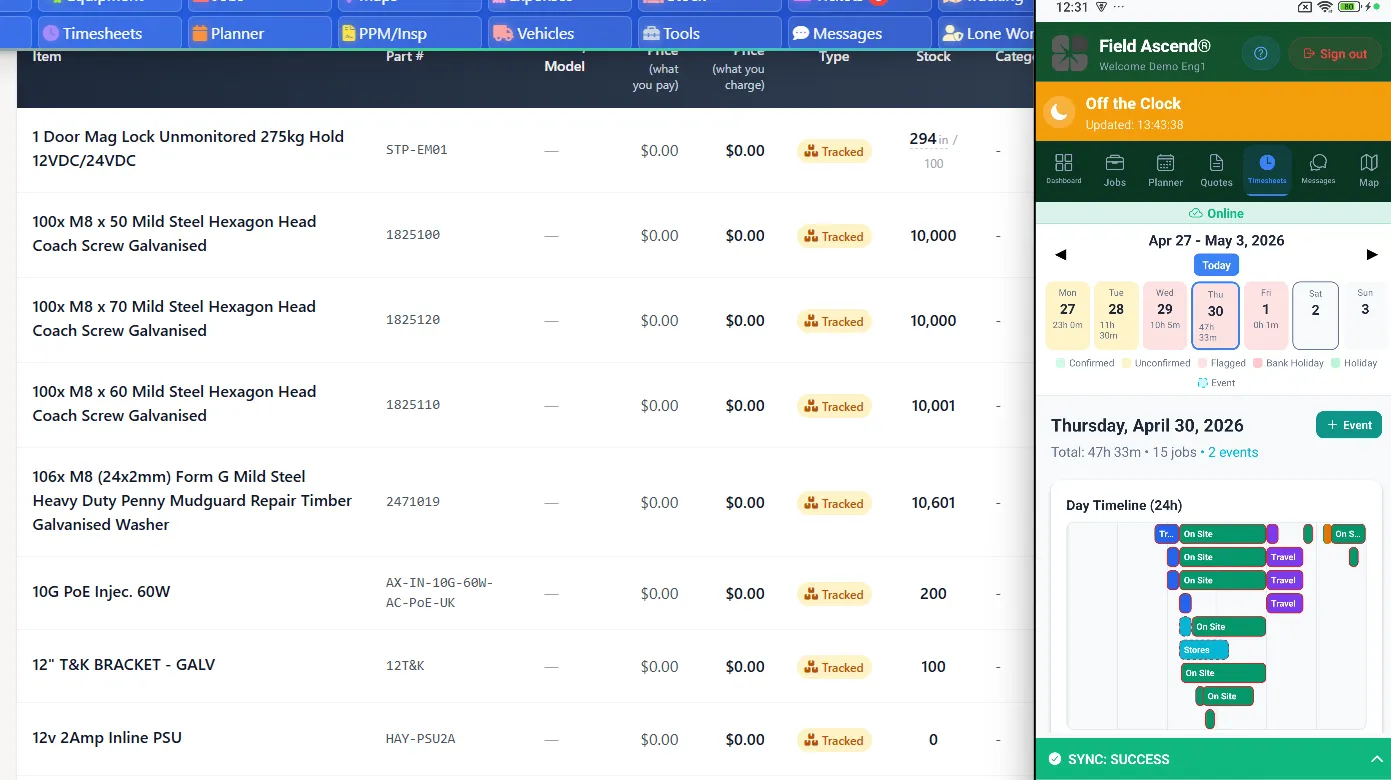
Field Service Software for Small Business

For small service businesses, Field Ascend is a straightforward way to move scheduling, job notes, technician updates, and invoices out of spreadsheets and into one shared workspace.

It is built for owners who need clear pricing, fast setup, and daily visibility without hiring an IT team or sitting through a long implementation project.

Field Ascend keeps the buying decision simple: $13 per user, all features included, no setup fee, and enough structure for a small team that is growing beyond calendars, paper forms, and disconnected files.

Built for office plus field teams. Not aimed at sole traders or one-person operations.

A buying guide for growing small teams

  • Small teams need to know the real monthly cost before they move work out of spreadsheets.
  • Owners need software that office staff and technicians can learn quickly without a separate IT project.
  • Growing contractors need room for dispatch, invoicing, photos, signatures, and repeat work without jumping plans.
  • This page is written for small businesses comparing practical fit before they overbuy or get boxed into a paid upgrade.

TL;DR

  • If you are a trade business with 3 to 50 staff, you need software that can support office roles and field roles at the same time.
  • The three biggest pricing traps are per-tech pricing, tiered feature gating, and onboarding or implementation fees.
  • Field Ascend is simpler to budget for: $13 per user, all features included, and no setup fee.
  • If you mainly serve commercial customers, make sure your shortlist can handle preventive maintenance, contract work, multi-site customers, and better visibility across the entire workflow.
  • For the broader category overview, read our field service management software page.

Who this page is for

This page is for you if: you're a trade BUSINESS with 3-50 staff, you have office + field roles, and you're servicing commercial OR residential clients.

  • You have dispatch, admin, estimating, or management work happening in the office as well as technicians in the field.
  • You need work order tracking, better scheduling, and faster invoicing instead of stitched-together tools.
  • You may be a commercial contractor, a mixed commercial/residential operator, or a small contractor moving into higher-value service agreements.
  • You want software that still fits at 5 to 50 employees, not just a cheap starting tier for one or two users.

It is not aimed at sole traders. If you are a one-person operation looking only for a simple diary replacement, there are cheaper lightweight tools. This page is for businesses that are already coordinating multiple people and want something they will not outgrow as soon as they hire the next technician or dispatcher.

What size business is this actually for?

That question is missing from many vendor pages, but it matters more than any headline discount. The right small-business tool is not the one with the lowest advertised entry point. It is the one that fits the structure of your business today and still works when you add a dispatcher, another estimator, or another crew.

Good fit

Field Ascend fits growing trade businesses with 3 to 50 staff, especially when the team includes both office and field users. That includes HVAC, plumbing, electrical, facilities, and mixed service contractors handling reactive work plus contract maintenance. If your business is already balancing job intake, planning, field updates, quote follow-up, and invoice lag, you will feel the difference quickly.

Why the commercial angle matters

Once a small business reaches three or more technicians, the work often changes. You win more commercial sites, service more than one location for the same customer, and start taking on scheduled maintenance. The shortlist needs to cover scheduling, dispatch workflows, work orders, invoicing, and asset-linked service history instead of stopping at appointment booking.
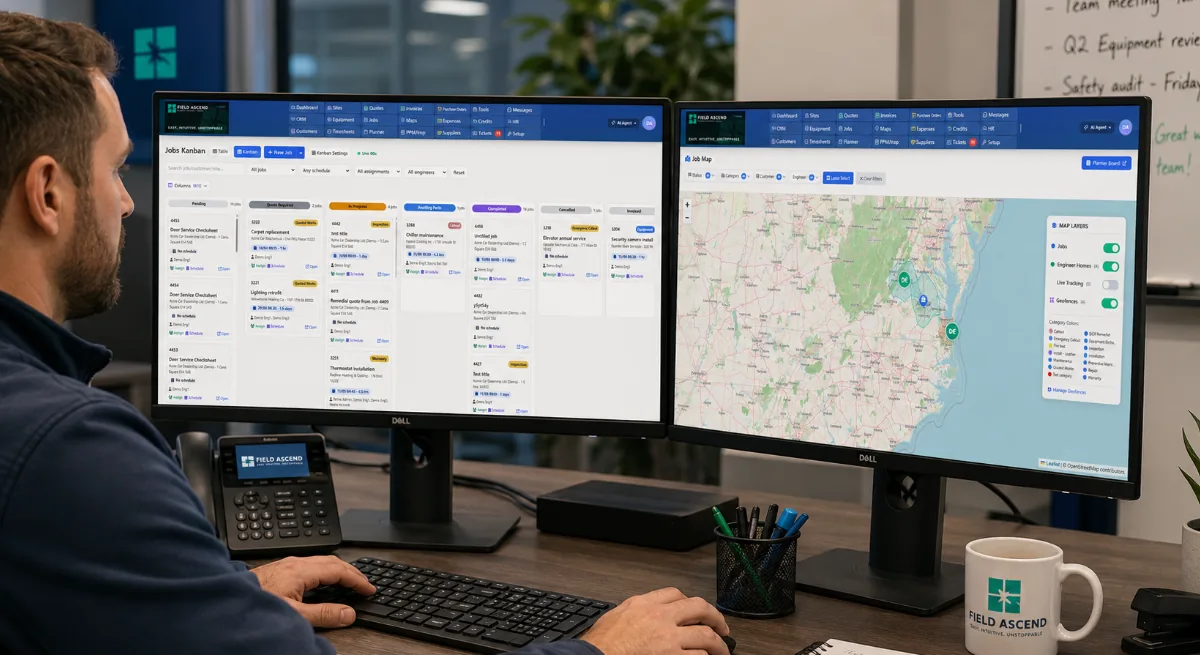
Field Ascend scheduling dashboard for a small US field service business showing technician schedules, open jobs and planned work the office can run

One scheduling view the office and field share — built for trade businesses with 3 to 50 staff.
Cheap tools vs per-tech suites vs Field Ascend

The problem is usually not that software looks expensive on day one. The problem is how the bill changes as the team grows and more parts of the workflow move into the tool.

Compare Cheap tools / entry tiers Mid-market / per-user growth pain Field Ascend
What they optimize for Fast sign-up, low advertised starting point, solo or very small crew use. Broader operational workflow, but cost rises once dispatchers, office users, and extra techs need access. Predictable pricing for trade businesses with office and field roles already in play.
Published pricing examples Starter plans often advertise a low monthly price for one user or a limited workflow. Growing-team plans often increase once office users, dispatchers, added technicians, automations, or reporting are included. $13 per user per month, all features included, no setup fee.
Where they usually pinch Advanced reporting, PM workflows, QuickBooks sync, or office-user collaboration may sit above the cheapest tier. Every extra dispatcher, coordinator, estimator, or technician increases monthly cost. Some features still sit behind higher plans. No premium tier for the core workflow. No per-tech pricing. No forced jump to unlock day-to-day operations.
Better for Sole operators and tiny crews that just need calendar plus invoice basics. Businesses that accept user-based scaling costs and custom onboarding discussions. Small contractors and commercial service teams that want one stack from scheduling through billing without overbuying.

Pricing models change often. The practical point for small businesses is to compare the real cost after office users, technicians, onboarding, and the features needed for day-to-day work are included.

5 users
$65/mo

One dispatcher, one office user, three field users. This is where many "cheap" tools stop looking cheap if the feature you need sits in the next tier.

15 users
$195/mo

Enough room for office plus field without having to rework the software budget every time you hire another technician or coordinator.

30 users
$390/mo

Still flat and transparent. The cost rises with headcount, but not with hidden module unlocks or implementation packages.

Trap 1: Per-tech pricing that punishes growth

Small businesses do not only add technicians. They add dispatchers, office admins, project coordinators, account managers, and sometimes subcontractor visibility. Pricing that looks fine for three logins can feel very different at eight, twelve, or twenty.

What happens

The software bill becomes a hiring tax

When a vendor charges a premium every time another person needs access, the software starts pushing back against growth. That is especially painful for a small business where one new office hire can improve service quality and billing speed immediately.

Why it matters

Commercial workflows need more logins

A commercial contractor is not just adding bodies in the field. You often need site coordinators, service admins, and invoice or quote visibility on top of technicians. Per-tech or heavily tiered seat pricing hits exactly where the business is trying to mature.

Field Ascend approach

Simple per-user pricing

You know what the math is before you start. That is what "affordable field service software" should mean for a small business: no surprises when a 5-person team becomes an 8-person team.

Trap 2: Premium tiers that hide the feature you need

Many tools advertise a low entry price, then reserve the practical workflow for a higher plan: QuickBooks sync, better automations, reporting, estimate approvals, GPS visibility, or more structured job management. The result is that your real minimum price is much higher than the homepage suggests.

A cheap plan can still be expensive

If the lowest tier does not include the feature that actually removes admin from your business, it is not the real buying price. It is just the teaser price.

Small contractors need full workflow coverage

The right small business field service app should not stop at scheduling. It needs scheduling, dispatch visibility, work done capture, quoting, invoicing, and enough reporting for owners to make decisions.

All features included

Field Ascend does not make you climb a plan ladder to unlock normal day-to-day operations. That matters when you are evaluating long-term fit, not just month-one affordability.

Trap 3: Implementation and onboarding fees

This is the one many small businesses miss until they are already deep in the sales process. Some vendors are not just selling software. They are selling a package with setup, migration, and onboarding as a separate commercial event.

Why this matters for small business

A smaller contractor is usually trying to get operating leverage, not buy a six-week implementation project. If the software needs a paid setup package before you can even test the real workflow, you are already in enterprise territory. That kind of sales motion can feel mismatched for small-business buyers even when the product is strong.

What to ask every vendor

  • Is onboarding required, optional, or included?
  • Are data migration or training billed separately?
  • Is there a contract minimum?
  • Can we trial the actual workflow before any implementation fee is discussed?

Field Ascend keeps this simple: no setup fee and no implementation charge just to get started.

How much does field service software cost for a small business?

The honest answer is "it depends on how many people need access and whether the real workflow sits on the starter plan." For a small contractor, software often moves through three stages:

  • Very low-cost / solo stage: good for one user, light scheduling, basic invoices.
  • Growing-team stage: better scheduling, automations, and mobile workflows, but costs rise fast when you add staff.
  • Enterprise stage: strong capability, but often custom quotes, onboarding projects, and more sales friction than a 3 to 50 person business wants.

That is the gap this page is speaking to. Small teams need something in the middle: capable enough for commercial work, simple enough to buy, and predictable enough to budget.

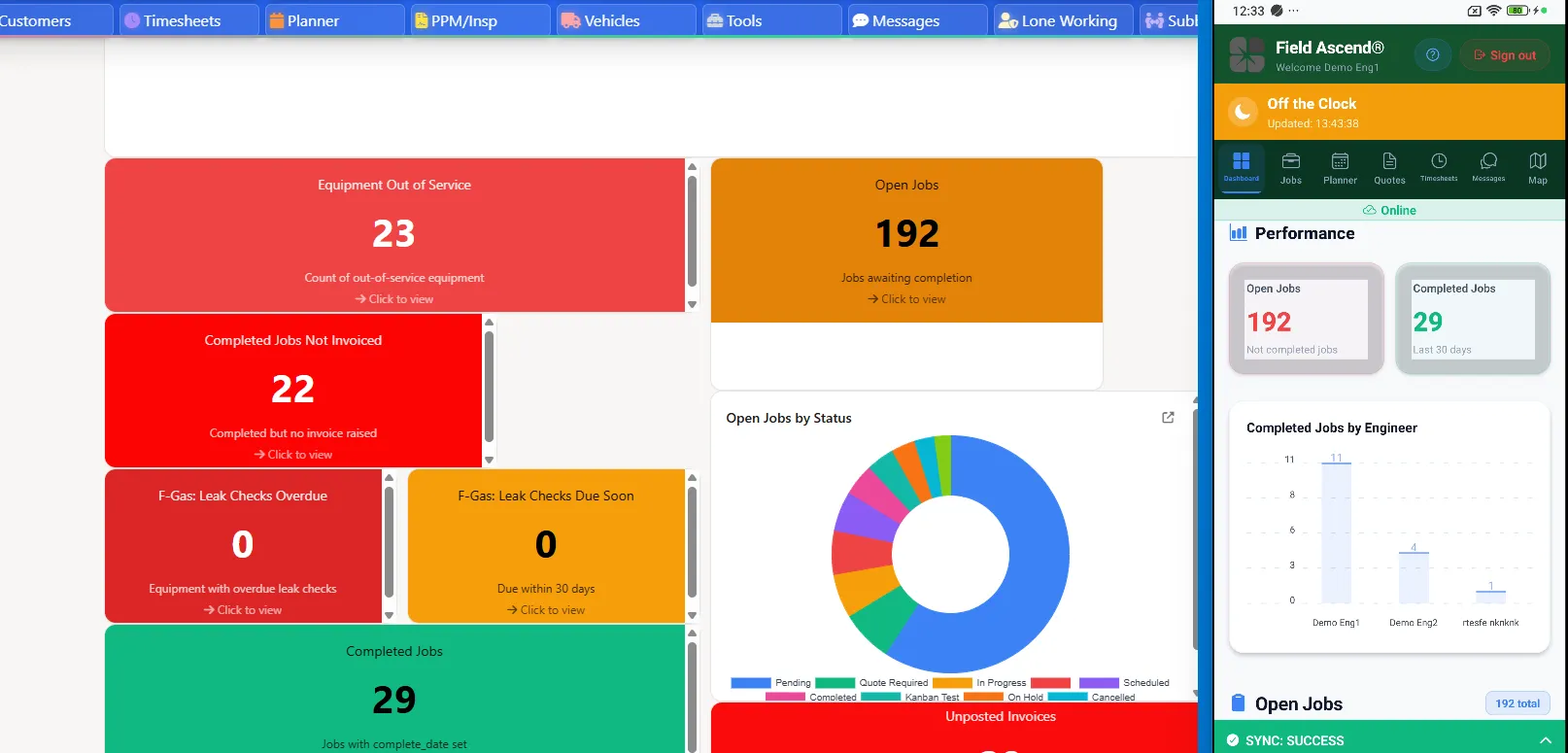
Field Ascend reporting dashboard showing job backlog, revenue timing, overdue invoices and technician utilization for a small US field service business

Owner-level visibility — backlog, billing, and technician utilization — included, not gated behind a premium tier.

What small commercial contractors usually need by the time they hit 3+ techs

This is where many "best for small business" pages miss the mark. Once the business has office plus field roles, the need is not just dispatch. It is operational control.

Work orders that turn into invoices cleanly

A small business field service software stack should reduce re-entry between what happened in the field and what gets billed.

Scheduling and dispatching that the office can actually run

That means visibility across open jobs, planned work, technician availability, and urgent callouts, not just a calendar view.

A field app that works where the work happens

The app needs to handle notes, photos, signatures, time, and job updates without forcing the tech to wait for perfect signal.

Preventive maintenance and contract visibility

For commercial contractors, recurring visits, SLAs, and service history matter early. That is why the line between day-to-day service work and maintenance planning matters less than buyers think.

Multi-site customer structure

Commercial customers often buy at account level but consume service at site level. The software needs to support that cleanly before the admin overhead becomes a problem.

Reporting that helps an owner decide

Even a 5 to 50 employee contractor needs visibility into backlog, revenue timing, overdue invoices, and technician utilization. That should not require an upgrade to a premium tier.

Field Ascend mobile technician app for US contractors showing work orders, job notes, photos and customer signature capture in the field

The field app captures notes, photos, signatures, and time on the job — even without perfect signal.

Leaving oversized operations software?

Some small and mid-sized contractors end up evaluating enterprise tools because they sound like the "serious" choice. The trade-off is that the buying process, implementation model, and long-term pricing can be built for much larger teams.

When enterprise software feels wrong-sized

If you need strong workflow coverage but not a heavy rollout, small-business-focused software often makes more sense. You still get the scheduling, job, mobile, and maintenance capability you need, but without the same budget shock or onboarding overhead.

Useful next read

If your shortlist currently includes larger enterprise-first vendors, focus the comparison on real setup time, office-user costs, technician access, and the workflows you need this quarter. Small businesses should not need a long rollout just to replace spreadsheets and paper job notes.

Trust signals for a cautious buyer

Public review volume is still early, so the source details are shown visibly below. The aggregate rating markup reflects this third-party footprint.

Independent review footprint

Last checked: April 2026. Current visible footprint: G2 5.0/5 from 1 review, Capterra 5.0/5 from 1 review, and Trustpilot 5.0/5 from 2 reviews.

G2

Rated 5.0/5
Based on 1 review

View Field Ascend on G2

Capterra

Rated 5.0/5
Based on 1 review

View Field Ascend on Capterra

Trustpilot

Rated 5.0/5
Based on 2 reviews

View Field Ascend on Trustpilot

Frequently asked questions

How much does field service software cost for a small business?

Field service software for a small business can range from under $50 per month for limited solo plans to several hundred dollars per month once you need office access, field access, reporting, or premium modules. Field Ascend is $13 per user per month with all core features included, so a 5-user team starts at $65 per month before tax. See our pricing page for the live plan.

What should a small business look for before buying?

Look for clear monthly pricing, fast setup, no required IT team, simple scheduling, mobile job updates, and invoicing that replaces spreadsheets without adding admin.

Can a small business set up Field Ascend without an IT team?

Yes. Field Ascend is built for quick setup by owners, office managers, and dispatchers. You can start with customers, jobs, schedules, technicians, and invoices without a separate IT project.

Is free software enough for a growing small business?

Free or very low-cost tools can be enough for a solo operator or a simple calendar. Once a small business has office staff, technicians, repeat customers, job notes, photos, and invoices to manage, clear paid pricing is usually easier to budget than a limited free tier.

When should a small business move away from spreadsheets?

Move away from spreadsheets when scheduling changes are missed, job notes are hard to find, invoices are delayed, or only one person knows the current status of the work.

See the small-business plan clearly

If you are comparing software for a 3 to 50 person service business, start with the pricing page. It shows the model plainly: $13 per user, all features included, and no setup fee.

See U.S. Pricing