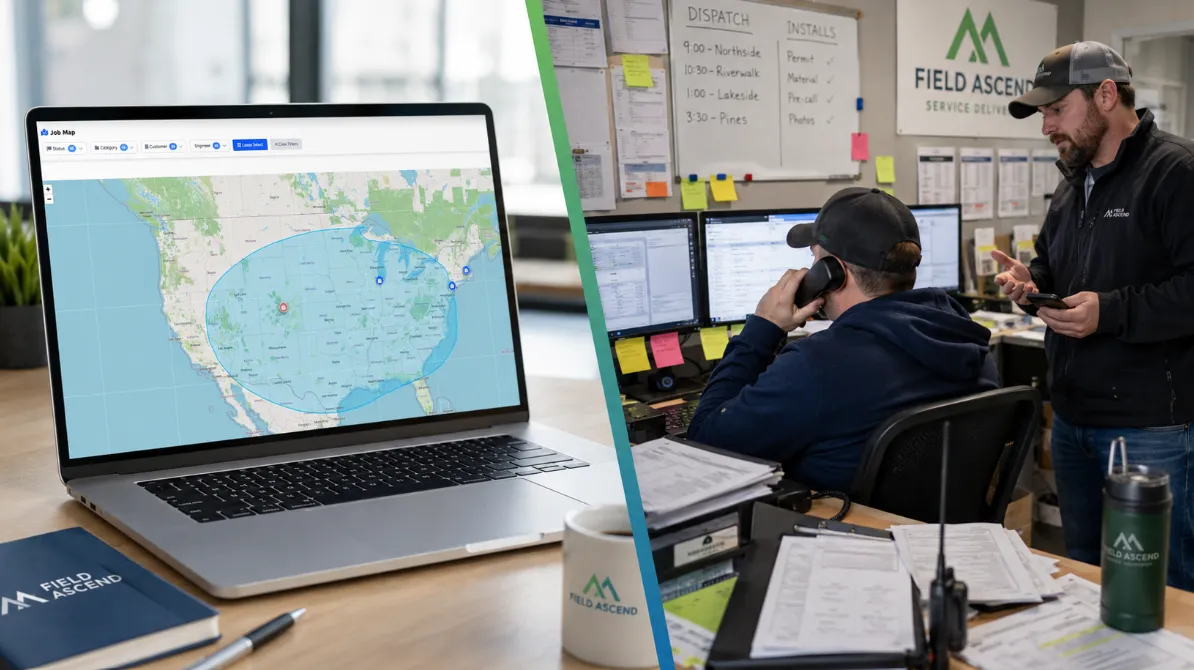
Quick Answer
The FSM software trap happens when a service business commits to a platform before it has tested the real workflow. A controlled demo may look perfect, but your actual operation has dispatch changes, technicians with weak signal, customer site notes, photos, signatures, invoice handoffs, preventive maintenance visits, and urgent calls. A serious free trial should let you test all of that before you pay setup fees or sign a long contract.
Watch: The FSM Software Trap
Prefer the video version? This short walkthrough explains the same buying risk: polished demos, hidden costs, limited trials, and why U.S. contractors should test the full field service workflow before committing.
If you have ever bought software for a service business, you know the feeling. The demo is clean. The sales call is confident. The price seems reasonable enough. Then implementation starts, the real work begins, and the gaps appear.
In field service management software, that pattern is especially risky because the system touches everything: scheduling, dispatch, technicians, work orders, customers, sites, equipment, maintenance, invoices, and accounting. If the software does not fit, the whole business feels it.
We have been on the wrong side of that buying process. That is why Field Ascend works differently. We believe U.S. service contractors should see the actual product, test real workflows, and understand pricing before spending money.
The Demo Day vs Reality Problem
Most FSM software buying journeys follow a familiar script:
- You request information and immediately enter a sales process.
- You watch a controlled demo with clean data, perfect routes, and ideal workflows.
- You get pricing that may not include setup, training, integrations, or support.
- You sign a contract before your technicians have used the mobile app in the field.
- You begin implementation and discover the real complexity.
- Your team finds the gaps after time, money, and patience have already been spent.
The demo is not always dishonest. It is just not your business. Your dispatcher is handling emergency calls, route changes, missing parts, customer lockouts, overtime pressure, and preventive maintenance visits that cannot be dropped. Your technicians may be in mechanical rooms, basements, rural sites, high-rise buildings, or job locations with unreliable signal.
The Hidden Cost of Getting FSM Software Wrong
Choosing the wrong field service software is not just annoying. It creates financial, operational, and team costs that stack up quickly.
Financial costs
- Setup fees: Often hundreds or thousands of dollars before the system is proven.
- Implementation charges: Paid configuration or consulting because the platform is too complex to self-start.
- Training fees: Added cost for the team to learn the basics.
- Integration fees: Accounting connectors, API access, or automation workflows that looked standard in the sales deck.
- Support tiers: Faster help locked behind a higher plan.
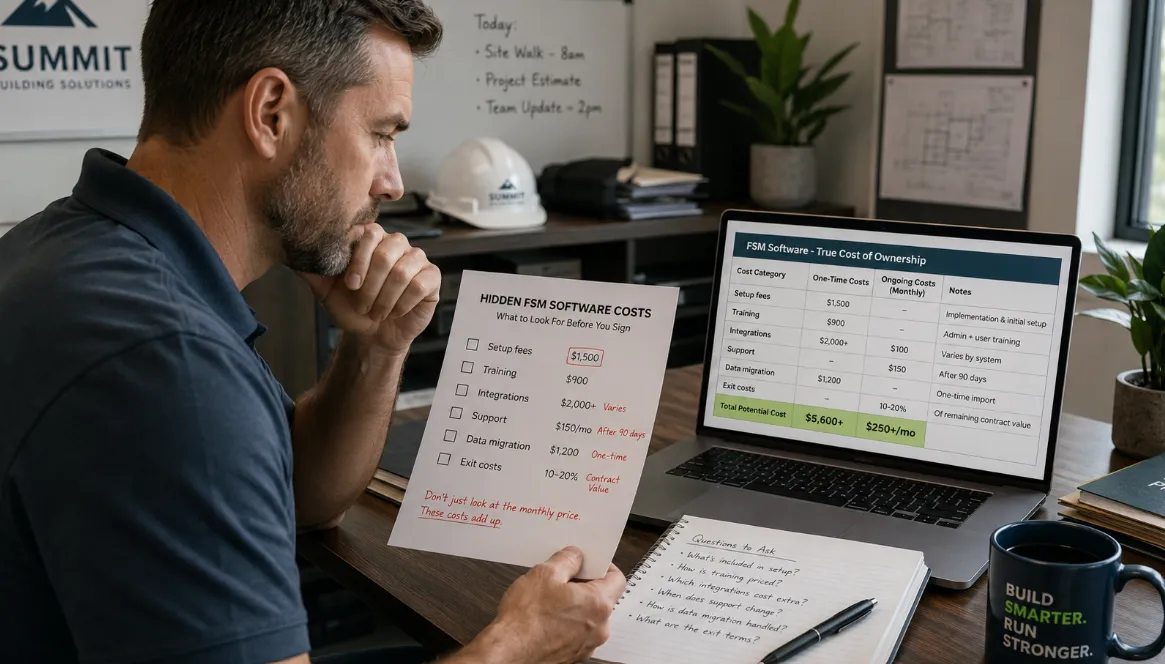
A useful FSM comparison should include setup, training, integrations, support, migration, and exit costs, not just the monthly subscription.
Time costs
- Configuration: Weeks spent setting up workflows, statuses, users, rates, forms, and templates.
- Training: Office staff and technicians learning new habits while jobs still need to be completed.
- Data migration: Moving customers, sites, equipment, job history, and documents.
- Workarounds: Spreadsheets, duplicate entry, and side processes created because the system does not match reality.
Operational costs
- Dispatch drag: Schedulers still rebuilding the day from calls, texts, and spreadsheets.
- Technician resistance: Field users avoiding the app because it is too slow, too confusing, or not useful offline.
- Invoice delays: Job evidence and timesheets still arriving late or incomplete.
- Customer frustration: Updates, paperwork, and follow-ups still taking too long.
The sunk cost trap
Once you have paid setup fees, migrated data, trained the team, and changed processes, switching becomes painful. That is why the evaluation stage matters so much. You want to learn whether the platform fits before you are financially and operationally committed.
The Sales Playbook to Watch For
When you compare field service software, watch for buying signals that make the product harder to verify.
1. Controlled demos instead of hands-on access
A guided demo is useful, but it should not be the only way to evaluate the system. If you cannot click through the real product, load real customer data, or test a technician workflow yourself, you are still relying on a presentation.
2. Pricing that depends on a sales call
Some pricing needs context, but core costs should not be mysterious. Published pricing helps contractors compare options honestly and budget without surprises. Field Ascend publishes U.S. pricing on the pricing page, starting from $13 per user per month.
3. Trial access that hides key features
A free trial is only useful if it lets you test the parts that matter: scheduling, dispatch, work orders, mobile app usage, photos, signatures, preventive maintenance, invoicing, and reports. If the trial blocks the real workflow, you are not really evaluating the software.
4. Add-ons for everyday field service workflows
Contractors should look closely at what is included. Core FSM features can include scheduling and dispatch, work orders, technician mobile workflows, asset tracking, preventive maintenance, invoicing, reporting, and accounting workflows such as QuickBooks integration.
5. Long commitments before real testing
An annual contract may make sense after the fit is proven. It is risky before your office team and technicians have tested the platform in real conditions.
The test that matters
Can you create real customers, schedule real jobs, have technicians use the mobile app, work through weak connectivity, capture photos and signatures, complete a work order, and move toward an invoice before paying setup fees? If not, you have not fully tested the system.
What Transparent FSM Software Buying Looks Like
Transparent software buying is not just a nice phrase. It should change what a contractor can see, test, and understand before making a decision.
Full feature access from day one
You should be able to test the real platform, not a limited showroom version. If you need preventive maintenance software, test that. If your technicians need offline mobile workflows, test the field service mobile app. If the office needs reporting, test the reports.
Clear pricing with no setup fees
Field Ascend starts from $13 per user per month in the United States, with core FSM features included and no setup fees. Prices exclude tax where applicable. For the current details, use the U.S. pricing page.
Monthly flexibility
Contractors should not have to discover fit problems after signing a long commitment. Monthly flexibility gives teams room to evaluate properly and keep using the software because it works, not because they are trapped.
Your data stays yours
Customers, jobs, sites, equipment records, photos, notes, and history are operational assets. A serious platform should not make data export unclear or painful.
No mandatory sales call
A demo can help, but it should be optional. You should be able to sign up, explore, test, and decide without being forced through a sales process first.
How U.S. Contractors Should Evaluate FSM Software
If you are comparing field service management software, use a practical test plan instead of relying only on a demo.
1. Test with real customers and sites
Add real customer records, sites, equipment, contacts, access notes, and job categories. Clean sample data will not show whether the product fits your business.
2. Put technicians in the field
Have technicians use the mobile app on real work. Test job notes, photos, signatures, checklists, time capture, status updates, and offline behavior in mechanical rooms, remote sites, and buildings with weak connectivity.
3. Run a complete work order cycle
Create a work order, schedule it, assign a technician, capture field evidence, complete the job, review the office handoff, and move toward billing. A system that works end-to-end is more valuable than a feature list.
4. Test dispatch exceptions
Move jobs, reassign technicians, handle an urgent call, change a customer contact, and reschedule preventive maintenance. Dispatch software has to work when the day changes.
5. Check the accounting workflow
If your team uses QuickBooks Online, check how customer, invoice, product or service, and payment-status workflows behave. The field service software QuickBooks integration page explains the workflow in more detail.
6. Calculate the real total cost
Do not compare only monthly subscription prices. Ask about setup, training, support, integrations, data migration, storage, per-job fees, minimum users, and exit costs.
Red Flags When Choosing Field Service Software
Warning signs
- There is no self-service trial option.
- Pricing is hidden behind a required sales call.
- The trial excludes core features you actually need.
- Setup fees are due before you have tested real workflows.
- The mobile app cannot be properly tested in the field.
- Offline capability is vague or limited.
- Support response times depend on an expensive tier.
- Data export is unclear.
- Annual commitment is required before meaningful testing.
- Every important workflow seems to require an add-on.
Green Flags to Look For
Good signs
- Published pricing that is easy to understand.
- Full feature access during the trial.
- Self-service signup with optional help.
- Core scheduling, dispatch, mobile, work order, maintenance, and invoicing features included.
- Mobile workflows that technicians can test on real jobs.
- Clear accounting workflow support.
- Training resources available before purchase.
- Monthly flexibility rather than forced long commitments.
- No setup fees for the core platform.
- A straightforward way to export your operational data.
Why Field Ascend Gives You Everything Upfront
Field Ascend is built for small and mid-sized service contractors that need capable field service management software without enterprise buying friction. We do not think contractors should have to gamble on a controlled demo.
- 30-day free trial with full access to the core platform.
- U.S. pricing from $13/user/month, with no setup fees.
- All core FSM features included, including scheduling, dispatch, work orders, mobile workflows, assets, preventive maintenance, invoicing, and reporting.
- Public training resources available through training videos.
- U.S.-localized workflows for technicians, preventive maintenance, QuickBooks, and service contractors.
If Field Ascend fits your team, you will know because you tested it. If it does not, it is better to find that out before implementation becomes a project of its own.
Bottom line
The safest FSM buying process is simple: test real work, confirm real pricing, involve real technicians, and check the full job-to-invoice workflow before you commit.