Field Ascend helps service contractors manage company vehicles inside the same field service management software they use for work orders, technician scheduling, dispatch, equipment, invoices and reporting.
Keep vehicle records, documents, mileage, inspection dates, registration dates, service due dates, assigned technicians and vehicle check results in one connected field service platform.
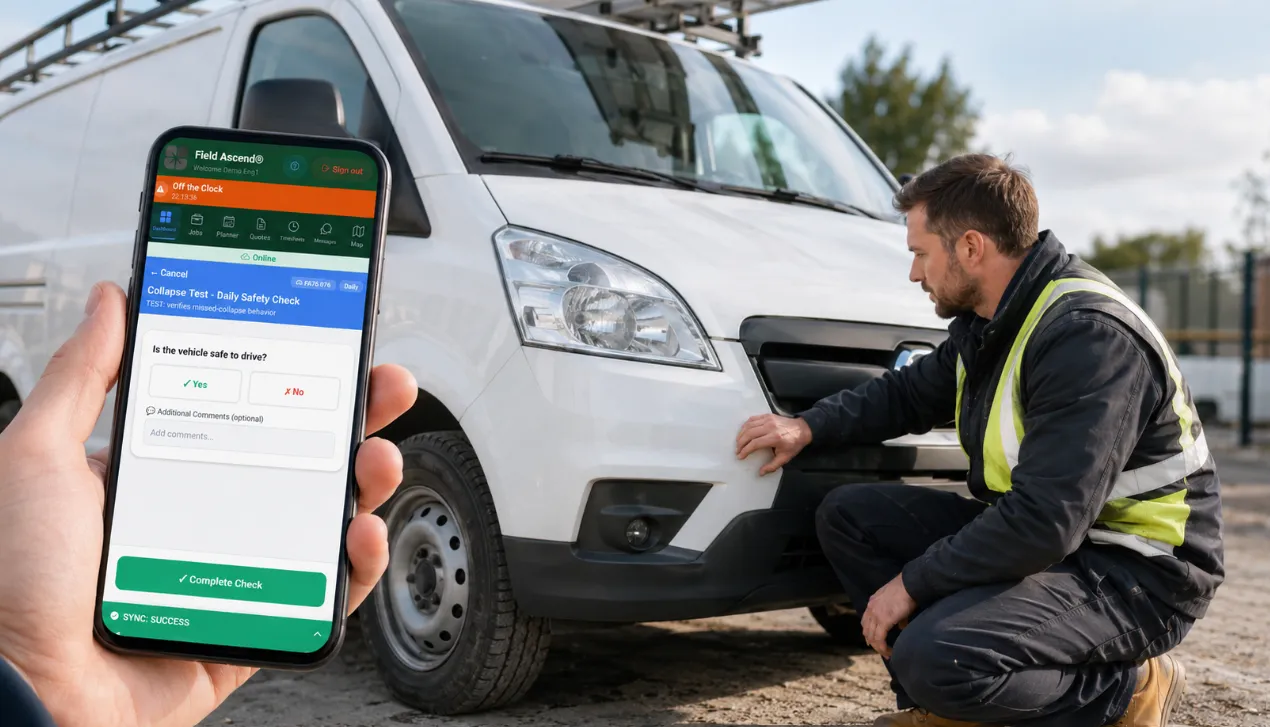
Generic fleet tools can track vehicles, but contractors also need vehicle checks to connect with technician workflows, job readiness, field documentation and office follow-up. Field Ascend keeps the fleet workflow inside your wider field service management platform.
Store registration, make, model, status, warranty, insurance, service, mileage, tire details, purchase information and supporting documents against each service vehicle.
Assign vehicles to staff profiles and technicians so the app knows which vehicle belongs to which field worker and which checks or data requests should appear.
Attach service records, inspection records, registration documents, ownership documents and other files to the vehicle record for easier fleet administration.
When a vehicle is out in the field, the office may not know the latest mileage, tire pressure details or other vehicle information. Field Ascend lets the office send a focused data request to the assigned technician instead of chasing by phone or message.
Select the vehicle details you need, such as current mileage, engine capacity, service mileage or recommended tire pressure.
The request appears in the mobile app on the technician's vehicle tile, with each required field ready to complete.
Once submitted, the office can refresh the vehicle record and see the updated details stored against the vehicle.
Vehicle data requests help the office collect missing information from the person with the vehicle.
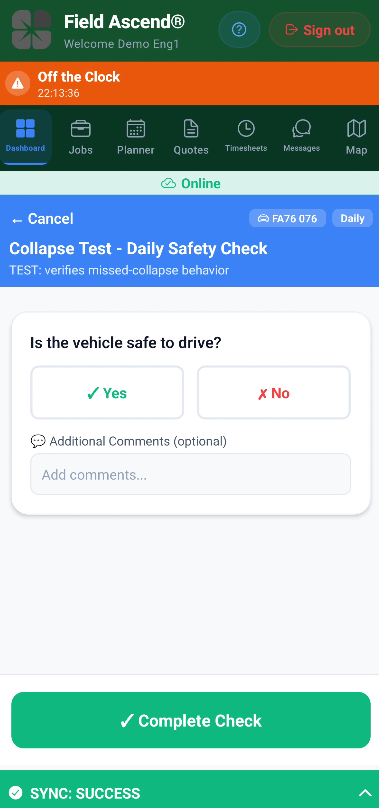
Create recurring vehicle checks for daily, weekly or scheduled inspection routines. The same mobile app your technicians use for work orders can also collect fleet check information before the day begins.
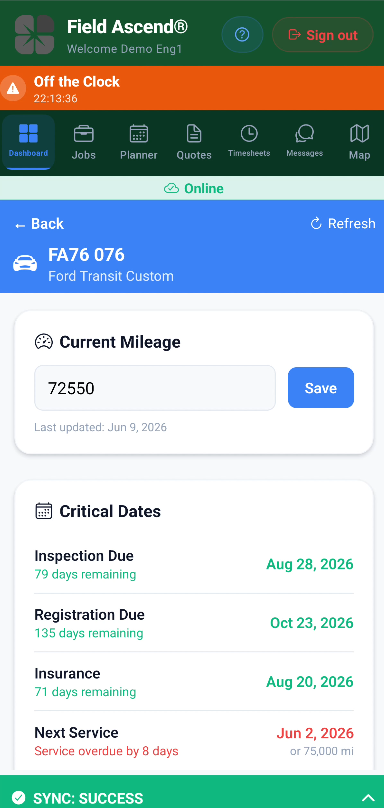
Technicians can open their assigned vehicle, see due checks and submit checklist answers from the field.
Vehicle checks can combine actual vehicle fields with custom checklist questions, so the same check can update the vehicle record and capture inspection answers.
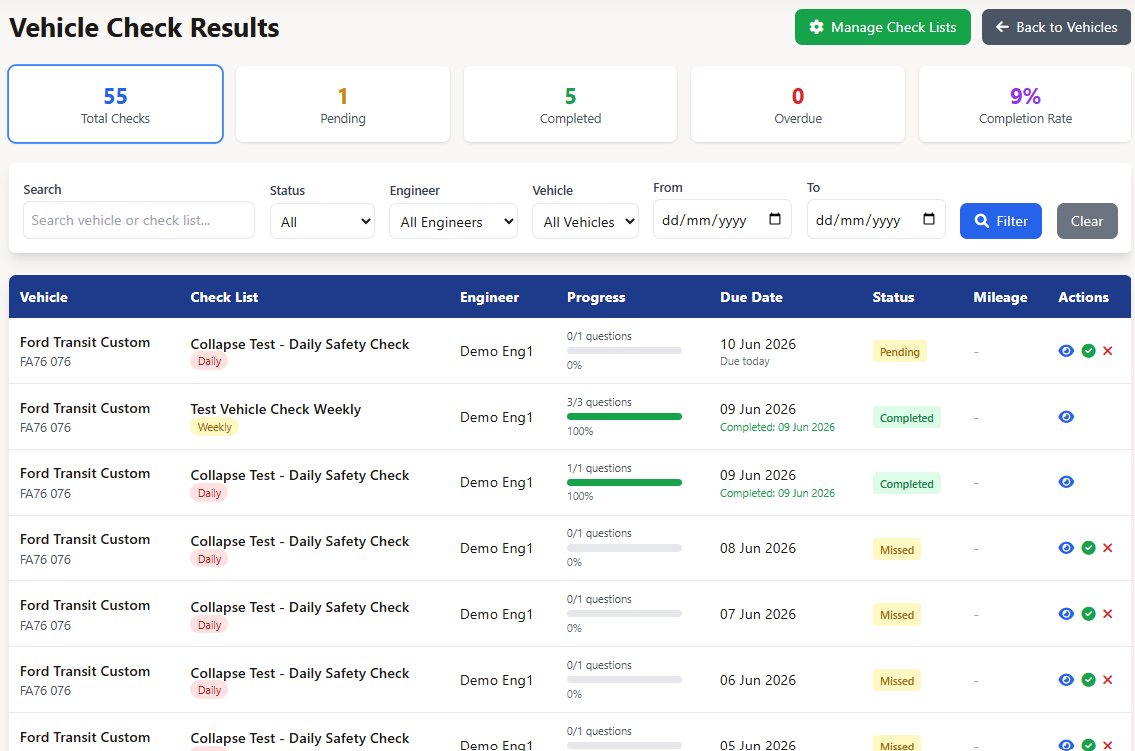
Completed vehicle checks are visible on the office side, so a fleet manager or administrator can see what was completed, which technician submitted it, the mileage recorded and whether issues were raised.
Clean checks give the office confidence that the assigned vehicle check was completed and no immediate issue was reported.
Previous checks remain available for review, creating a practical audit trail for recurring vehicle inspection routines.
Check results give the office a simple way to review completed vehicle inspections.
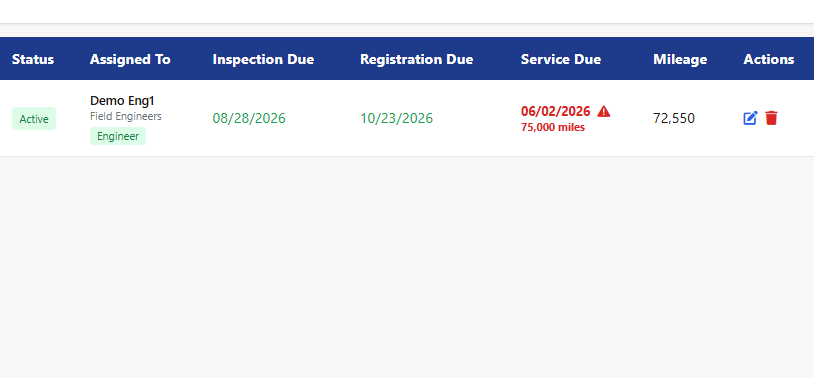
Field Ascend helps the office see which vehicles need attention soon. Instead of burying vehicle dates in a spreadsheet, the vehicle list highlights upcoming and overdue issues in the same system your team already uses.
Notification settings let businesses configure warning windows and who receives vehicle-related emails.
Fleet warnings help office teams act before service vehicles fall out of compliance or miss scheduled maintenance.
Field Ascend fleet tools connect naturally with the rest of your field service software for small business, so dispatch, technicians, work orders and vehicle readiness stay in the same operational system.
See how vehicle records, data requests, check setup, the technician app and fleet warnings work together inside Field Ascend.
Short answers for contractors comparing fleet management features inside field service software.
No. Field Ascend's fleet tools are part of the wider field service management platform. They are designed for service contractors that want vehicle records, checks and alerts connected to technician workflows.
Yes. You can create custom questions and choose response types such as yes/no, number, text, dropdown and multiple select. You can also include vehicle fields that update the vehicle record.
Yes. Technicians can update mileage from the assigned vehicle screen or through a vehicle check or data request, depending on how the workflow is configured.
Yes. The U.S. experience uses terms such as safety inspection, registration due date, technician and tire, while keeping the same underlying fleet workflow.
Yes. Vehicle lists can be downloaded as CSV, giving office teams a simple way to review or report vehicle information outside the platform when needed.
Fleet management works alongside technician scheduling, service dispatch, work order management, equipment tracking, preventive maintenance, inventory and invoicing workflows.
Start a free trial of Field Ascend and see how fleet records, technician app checks, work orders, dispatch, equipment and invoicing can run from one field service management solution.
Start Free Trial