Last updated: April 24, 2026
What is CMMS software? CMMS software traditionally manages maintenance inside your own facility. Field Ascend's CMMS is built for service contractors who maintain their clients' sites - work orders, PPM schedules, asset registers, and compliance logs travel with you across every facility.
That is the split this page is designed to make obvious. Most CMMS pages are written for in-house teams maintaining one building, one plant, or one internal estate. Contractors have a different problem: they need maintenance history, schedules, and asset records that move across many customer sites and still come back invoice-ready for the office.
Search intent on CMMS is often mixed. Some buyers really want an in-house maintenance system. Some want broader building operations. Contractors usually sit between those two and need a platform that understands maintenance records and field delivery together.
| Question | CMMS | CAFM | FSM |
|---|---|---|---|
| Main focus | Maintenance schedules, asset history, and work order records | Broader building and facility operations | Dispatch, customer-site work, quoting, and invoicing |
| Typical buyer | Maintenance manager or contractor operations lead | Facility operator, FM team, or multi-site service organization | Field service contractor or service coordinator |
| Contractor need | Useful for asset records and planned maintenance | Useful when client sites and facility workflows are central | Useful when dispatch and commercial handoff are central |
| Best fit in Field Ascend | Use this page for maintenance-heavy contractor workflows | Use facility management software for wider facility workflows | Use field service management software for the full operating system |
A contractor CMMS needs to schedule recurring visits across many addresses, keep service history against the right equipment, and return a usable visit record to the office. That is why contractor CMMS usually overlaps with preventive maintenance software rather than behaving like a pure internal maintenance database.
Service contractors often need the asset register even though they do not own the equipment. The value is in showing what was serviced, what failed, what still needs follow-up, and what contract work is due next, all without losing the customer-site context.
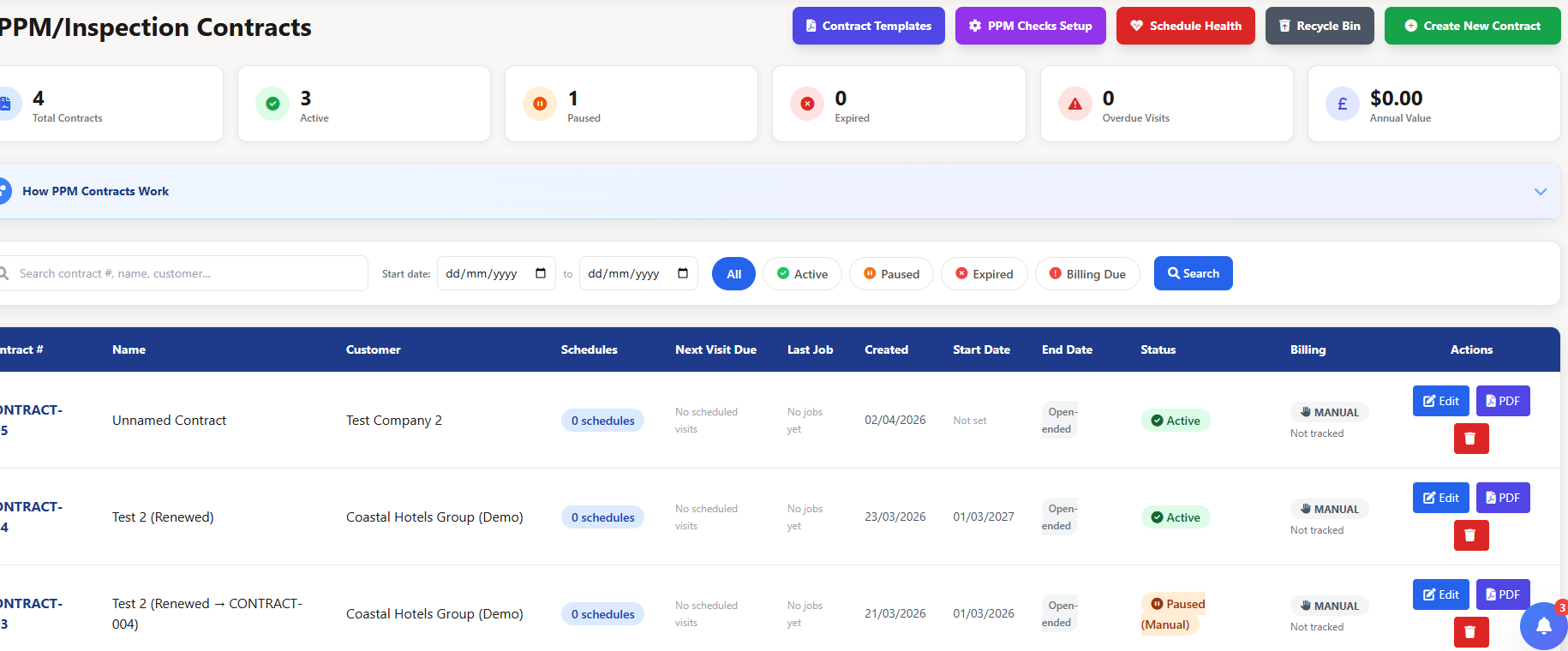
Contractor CMMS becomes useful the moment recurring work stops depending on memory. When preventive visits, inspection intervals, and service obligations are linked to equipment and customer sites, the office can see what is due and what is already at risk.
That is why a contractor reading this page should usually compare it directly with preventive maintenance software. The two ideas sit very close together in a service-contract environment.
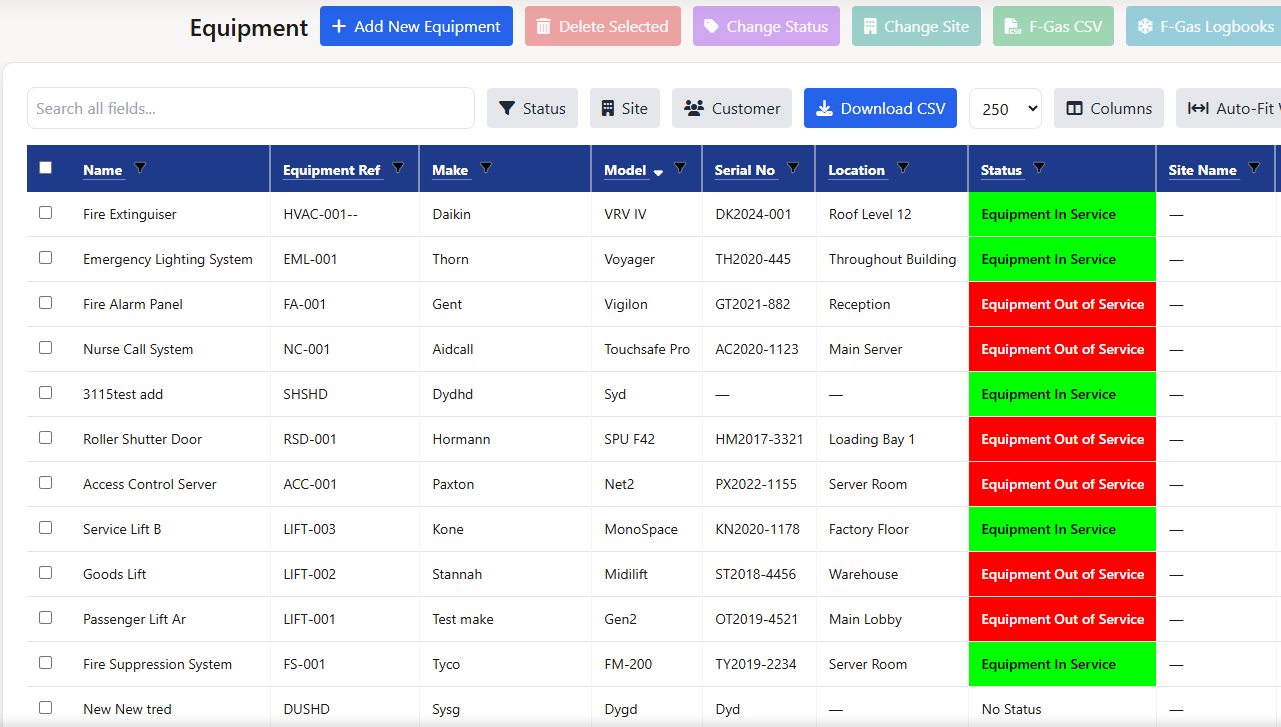
Asset records are not only for equipment you own. Contractors need them because planned service, defects, readings, and quoted follow-ups make more sense when every visit is tied to the right asset and the right customer site.
This is where CMMS stops looking like a back-office database and starts behaving like an operational tool for a service contractor.
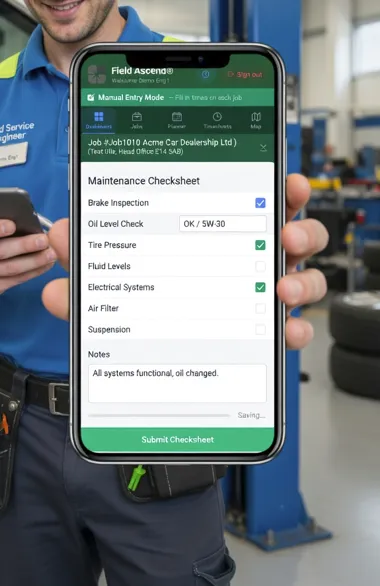
Contractors usually need more than an internal closeout. They need a service record that comes back with notes, readings, photos, signatures, and enough structure to support customer reporting. That is why contractor CMMS needs to stay close to the live work order.
If the visit still has to be rebuilt later from messages and notes, the maintenance software is only doing half the job.
Sometimes the buyer reading a CMMS page is not the contractor. It is the facility manager or FM lead who wants to standardize what good contractor delivery looks like. In that situation, a contractor-side CMMS can be part of the service requirement: the contractor should be able to show maintenance history, asset context, recurring schedules, and clear visit records for every site.
That does not mean the contractor needs to be forced into an in-house maintenance platform. It means the contractor needs software that produces the same maintenance discipline while still supporting dispatch, field execution, and commercial handoff. That is where Field Ascend's combination of CMMS and FSM becomes useful.
If the wider estate workflow matters too, the closest supporting page is facility management software.
Contractors usually do not want a CMMS that stops at the maintenance record. They need the maintenance layer to sit inside the same system as dispatch, field execution, and billing.
The planned visit does not have to be recreated elsewhere. The job can be generated from the schedule, completed in the field, and returned to the office as a usable work record without moving across separate systems.
The contractor can hold maintenance history, site detail, and asset context in a way that makes sense to the customer account structure, especially when the account covers many buildings or many sites.
The wrong CMMS can still look impressive in a demo. The problem usually shows up later, when the contractor discovers the platform is excellent at internal maintenance records but weak at customer-site execution, office handoff, or commercial follow-up.
The first test is whether the product understands customer-owned equipment. A contractor does not need a register only for assets they own. They need a structured history for equipment they service under contract, across many sites and many customer accounts. If the product treats that as an edge case, it is usually a sign the software is aimed at an internal maintenance department rather than a service business.
The second test is whether planned work connects naturally to field delivery. Contractor CMMS should sit close to preventive maintenance software and the live work order workflow. The schedule should generate usable work, the technician should complete that work against the correct asset and site, and the office should receive a clean record back.
The third test is whether the CMMS lives happily beside the wider operating system. Contractors usually still need dispatching, quoting, invoicing, and account-level context. That is why this page keeps pointing back to field service management software and facility management software. A contractor rarely buys CMMS in total isolation from those other decisions.
If you are an FM team standardizing what contractors should use, those tests still apply. The best requirement is usually not "use any CMMS." It is "use a contractor-shaped system that keeps planned maintenance, asset history, field reporting, and commercial follow-up connected." That tends to produce better customer reporting and cleaner contract delivery than forcing a supplier into software shaped for a different job.
CMMS software stands for computerized maintenance management software. It organizes preventive maintenance schedules, asset records, work orders, defects, and maintenance history so the contractor can manage maintenance delivery with more structure.
CMMS is maintenance-centered, while FSM also covers dispatch, customer-site work, quoting, and invoicing. Contractors often need both, which is why Field Ascend combines CMMS and field service management in one platform.
Yes. Contractors can use CMMS software when they need to manage asset history, preventive maintenance schedules, and compliance records for equipment they service under contract.
CMMS focuses on maintenance activity and equipment history. CAFM usually extends into broader building and facility operations. Contractors often touch both, which is why this page sits next to facility management software.
Field Ascend publishes U.S. pricing at $13 per user per month with all features included, no per-tech pricing, and a 30-day free trial. See pricing for the live plan.
If you need planned maintenance, asset history, work orders, and field delivery in one system, compare the U.S. pricing page and then keep the supporting pages for preventive maintenance, work orders, and FSM open beside this one.
See U.S. pricing