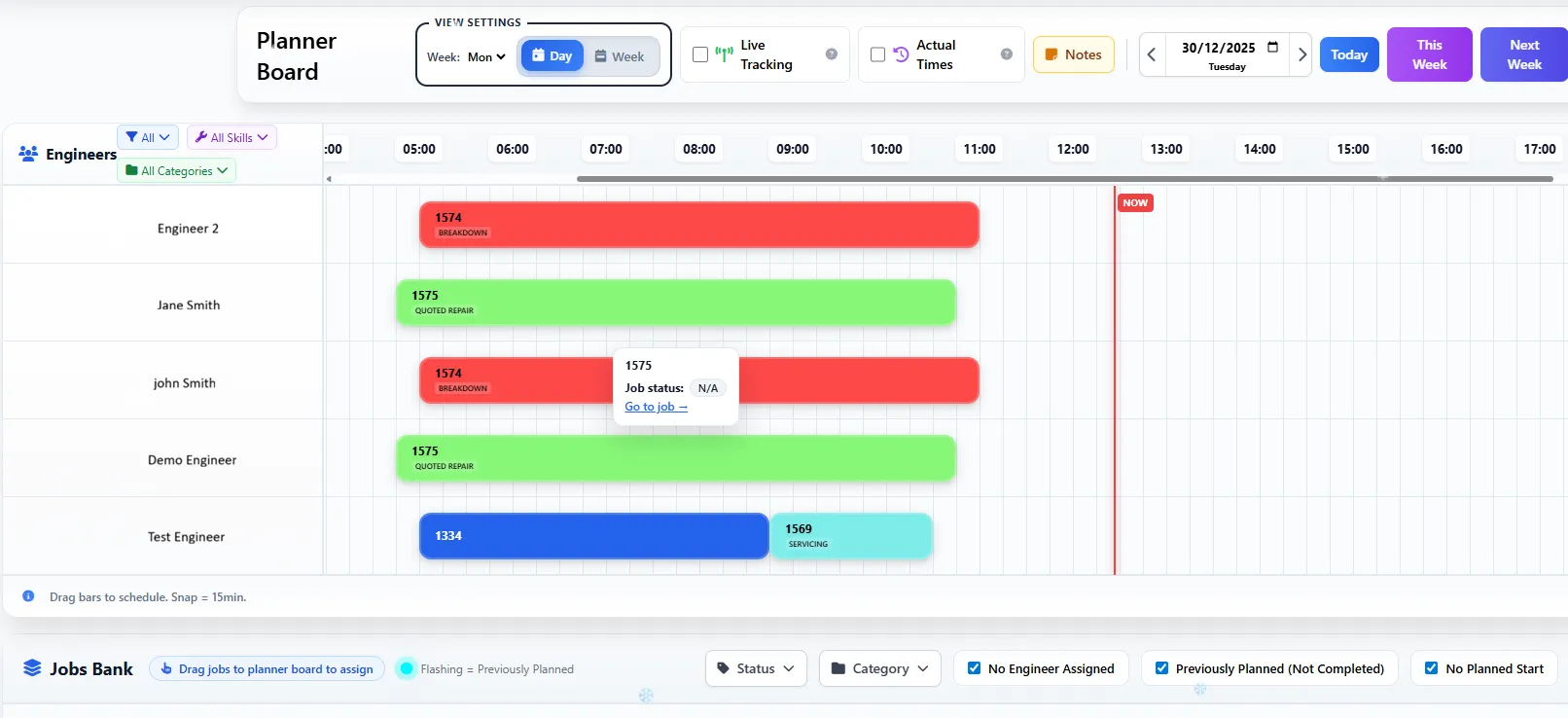
Drag-and-drop job scheduling at its finest. As leading field service scheduling software UK teams rely on, Field Ascend shows engineer availability, job durations, and travel gaps at a glance. Move jobs between engineers, resize for duration changes, and spot scheduling conflicts instantly.
Start Free Trial
UK maintenance and service companies choose Field Ascend for visual job scheduling that actually works. No more spreadsheets, whiteboards, or clunky calendars. Our planner board puts everything you need in one intuitive interface.
Switch between views with a single click. Day view shows hour-by-hour scheduling for precise planning. Week view gives you the full picture across all engineers. Month view is perfect for spotting capacity and planning ahead.
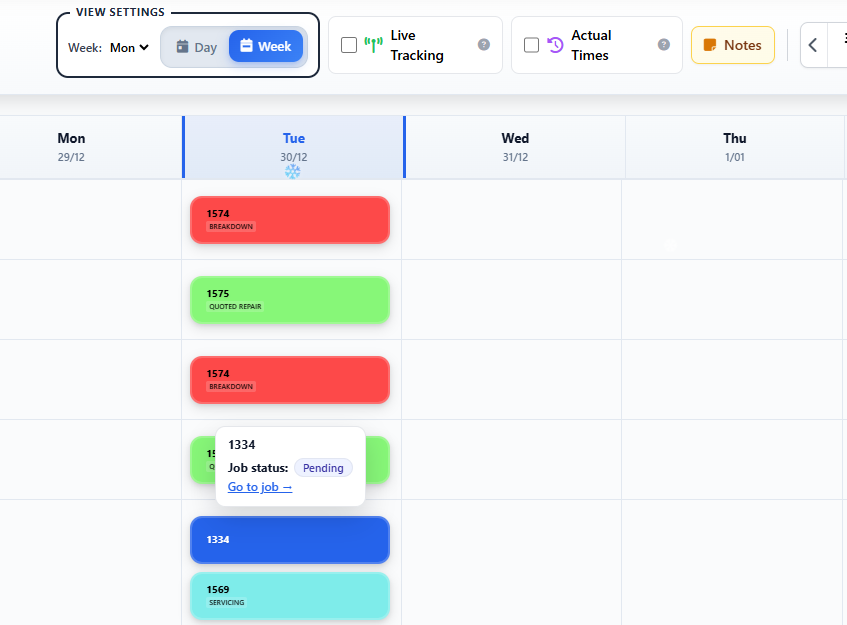
Reschedule jobs in seconds with engineer scheduling software UK dispatchers trust. Drag a job to a different time slot or engineer, and the system updates everything automatically.
Drag any job block from one engineer row to another. The system automatically updates the job assignment, notifies the engineer via the mobile app, and recalculates travel times.
Grab the edge of a job block and drag to extend or shorten the planned duration. Perfect for adjusting estimates without opening the full job record.
The planner warns you immediately if you're creating overlapping jobs. Visual indicators make it obvious when engineers are double-booked or when travel time doesn't add up.
See gaps between jobs that account for travel time. The system shows you how long engineers have between sites based on their territory and location.
Schedule jobs that span several days or overnight. The planner splits the work cleanly across days so long installations and shutdowns show correctly on every date.
Every drag-and-drop action saves automatically. No "save" button to forget—your schedule is always up to date.
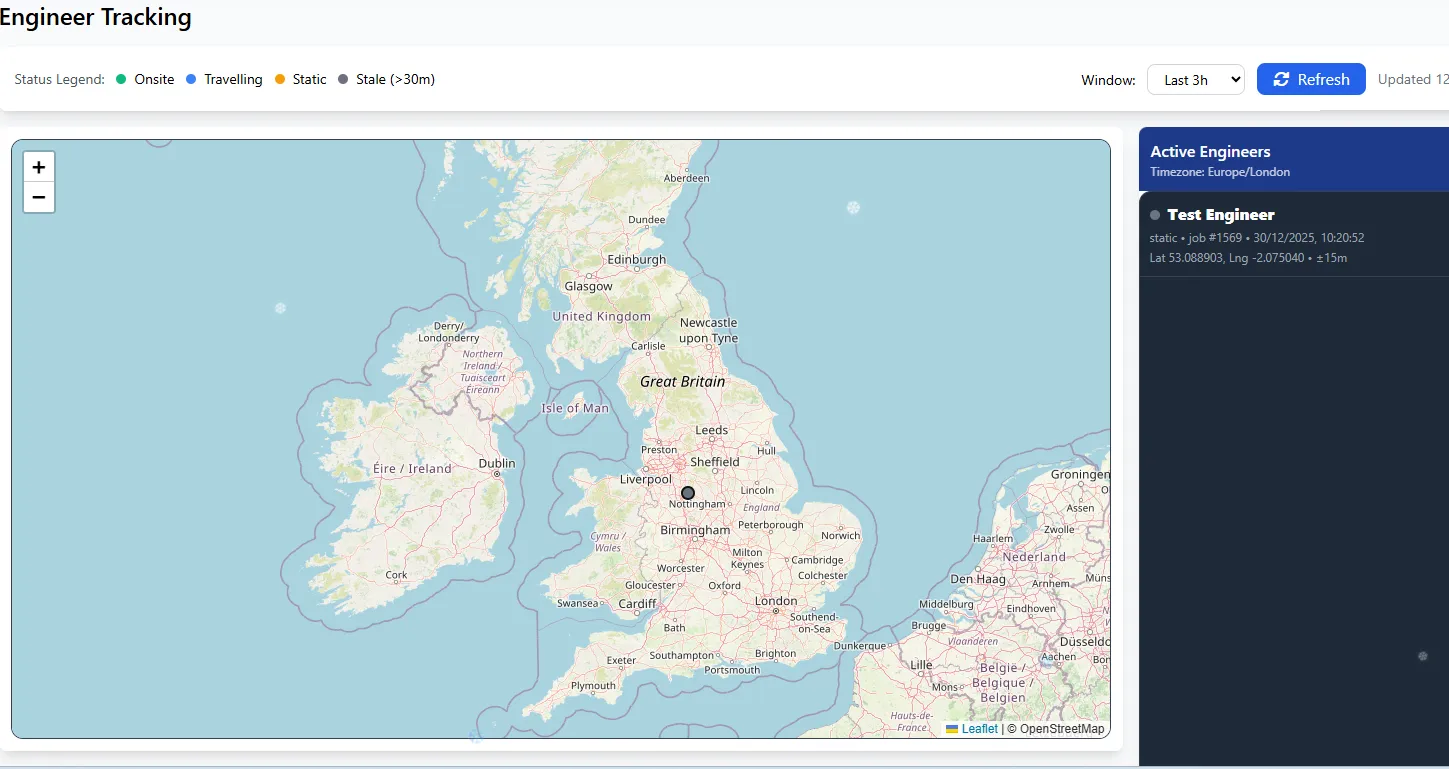
See where your engineers are right now, directly on the planner. The optional live tracking overlay shows real-time GPS positions, current job status, and whether engineers are on schedule or running late.
Works seamlessly with our lone working software for complete engineer safety monitoring.
Keep the office, engineers and helpers on the same page—literally. Field Ascend publishes a secure calendar feed your team subscribes to in Google Calendar, Outlook or Apple Calendar. Scheduled jobs and non-job events flow straight into the calendars people already check every day. It's one-way and read-only, so the planner stays the single source of truth.
Share one master company calendar for the whole operation, or give each engineer and staff member their own personal feed showing only their jobs and events.
Scheduled jobs from the planner board and non-job planner events (training, holidays, meetings) appear side by side, with site address, customer and status in the event detail.
Every event is anchored to your account time zone and published in UTC, so each job shows at the right local time wherever your team is—daylight saving handled automatically.
Each feed is protected by a long, random link. Turn sync on in planner settings, copy the link into Google or Outlook, and reset any link instantly if it's ever shared by mistake.
Reschedule a job in the office and the change flows through to subscribed calendars on their next refresh—no manual re-exporting, no stale spreadsheets.
Decide what shows in each event—site address, customer name, job status and notes—so calendars carry exactly the information your team needs and nothing they don't.
Real scheduling is more than dropping jobs on a grid. Field Ascend plans routes, two-person work, time off and day structure so your board reflects what's really happening on the ground.
Review an engineer's stops for the day and let Field Ascend suggest an efficient order based on location and travel—cutting drive time and fitting in more billable work.
Split the day into sections like AM/PM or morning, afternoon and evening. Shade working hours on the board so the team plans around the structure your business actually runs to.
Schedule mates and helpers alongside engineers with their own rows. Plan two-person jobs and supporting staff without double-booking or guesswork.
Drop non-job events straight onto the board—training, vehicle services, meetings, site surveys—so time that isn't a job is still accounted for in everyone's day.
Approved leave and absence appear on the planner, and UK, Scottish, Northern Irish and Irish bank holidays import automatically so jobs aren't booked into days no one is working.
Control how far ahead engineers can see their own schedule in the mobile app, so plans stay flexible in the office while the field sees what's confirmed.
We spoke to hundreds of dispatchers across the UK before building the planner. Every feature solves a real problem faced by field service teams.
Each job category (Callout, PPM, Installation, etc.) has its own colour. Spot patterns instantly and balance workload across job types.
Large teams can filter by department. Show only HVAC engineers, or just the electrical team. Each user's filter preference is remembered.
The planner works beautifully on tablets for dispatchers on the move. There's also a dedicated mobile-optimised version with touch-friendly controls.
Jobs without engineers appear in a sidebar. Drag them onto the planner to assign. Filter unallocated jobs by date, priority, or location.
Search by job number, customer name, or site address. The planner jumps directly to that job and highlights it for easy identification.
At-a-glance stats show total jobs scheduled, engineer utilisation, and gaps in coverage. Plan your week knowing exactly where you stand.
The visual planner is the heart of Field Ascend, connected to job management software and smart planner matching for seamless field service management.
The planner suggests the best engineer for each job based on skills, territory, and availability. Visual badges show qualifications at a glance.
Territories appear as overlays on the planner map view. See which engineers cover which areas without switching screens.
Changes in the planner push to engineer mobile apps. Job updates, reassignments, and schedule changes flow straight to the field.
Subscribe master or per-engineer calendars in Google, Outlook or Apple Calendar. Jobs and planner events stay in sync automatically.
Let AI assist behind the planner—from quote generation to smart suggestions—so dispatchers spend less time on admin.
Recurring PPM jobs appear automatically on the planner. Drag to reschedule while maintaining the service cycle requirements.
Field Ascend combines a visual planner board with smart engineer matching, territory geo-fencing, and real-time mobile sync. Unlike basic calendar tools, our planner understands your business—skills, territories, travel times, and job priorities all factor into intelligent scheduling suggestions.
Yes. Field Ascend publishes a secure calendar feed that engineers and office staff subscribe to in Google Calendar, Outlook or Apple Calendar. Share a master company calendar or an individual calendar per engineer or staff member. Scheduled jobs and non-job planner events both appear, the feed is read-only, and office changes flow through automatically on the calendar's next refresh.
Yes. Every event is anchored to your account time zone and published in UTC, so Google Calendar and Outlook show each job at the correct local time for the person viewing it, with daylight saving handled automatically. Ideal for teams working across regions or countries.
Yes. Mates and helpers can be scheduled alongside engineers with their own rows for two-person jobs. Approved holidays and absence appear on the board, and UK, Scottish, Northern Irish and Irish bank holidays import automatically so you never book a job into time when someone is unavailable.
Yes. Route-day optimisation reviews an engineer's scheduled stops for a day and suggests an efficient order based on location and travel, helping cut drive time and fit more billable work into each day.
Yes. The planner supports multiple users, and each person's preferences (view, filters, department) are saved individually. The board refreshes regularly so dispatchers stay aligned, and every drag-and-drop change is saved automatically as it's made.
Absolutely. The visual planner is fully responsive and touch-optimised for tablet use. There's also a dedicated mobile version for dispatchers who need to manage schedules on the go. Works on iPad, Android tablets, and any modern browser.
PPM and recurring jobs appear automatically based on their schedules. You can drag them to different times or engineers just like regular jobs. The system maintains the recurring pattern while allowing per-instance adjustments.
No limit. Whether you have 5 engineers or 500, the planner scales to fit. Filter by department to focus on specific teams, or view everyone at once for a complete picture of your operation.
Join hundreds of UK businesses using Field Ascend's visual planner for smarter job scheduling.
Start Your Free Trial